
Reduce image size in KB
Reduce image size in KB with zero-upload mode and 100% privacy. Fast, free image compressor to shrink JPG/PNG/WebP without quality loss using ImgSmaller.
What is Zero-Upload?
All processing happens in your browser. No data is sent to our servers. Learn More
What users say
Support ImgSmaller
Found it useful? Add a link to help others discover privacy‑friendly image compression.
What this tool does
Reduce Image Size in KB – Free Online Image Compressor | ImgSmaller
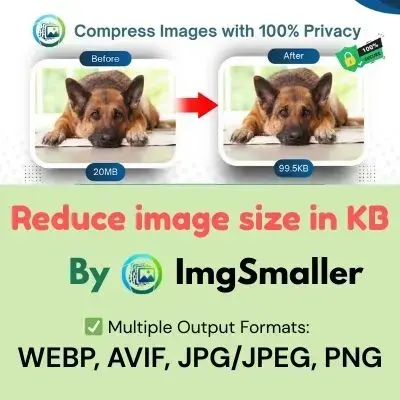
Want to reduce image size in KB without losing quality? ImgSmaller is the fastest and most accurate online image compression tool designed to shrink JPG, PNG, WEBP, and JPEG images instantly.
Our smart AI-powered compressor makes your images lighter, faster, and more web-friendly—perfect for websites, WhatsApp, emails, forms, and social uploads.
Reduce Image Size in KB Without Losing Quality
Large images slow down websites, increase bounce rates, and break upload limits. ImgSmaller helps you:
-
Compress images in seconds
-
Reduce image size to exact KB (50KB, 100KB, 200KB, 500KB etc.)
-
Maintain sharpness using AI optimization
-
Download instantly with no watermark
Just upload → compress → download. That’s it.
How ImgSmaller Works (Simple 3-Step Process)
1. Upload Your Image
Supports JPG, JPEG, PNG, WEBP up to 10MB each.
2. Choose Compression Level
-
Normal
-
High
-
Ultra
-
Target Size (Reduce to exact KB)
3. Download the Compressed Image
Instant results. No signup required.
Why ImgSmaller is the Best Tool to Reduce Image Size in KB
Lightning-Fast Processing
Compress and reduce image size in KB within seconds using our optimized engine.
High-Quality Output
Our AI ensures your image stays sharp while decreasing the size dramatically.
Target File Size
Reduce your image to 20KB, 50KB, 100KB, 200KB or any custom KB value.
Free & Unlimited
Compress unlimited images daily with no watermark or restrictions.
Secure & Private
Your images are never stored. All files auto-delete after processing.
What Makes ImgSmaller Different From Other Tools?
Most online compressors either over-compress images or reduce quality drastically.
But ImgSmaller uses an AI-based compression engine that analyzes:
✔ color depth
✔ edges & sharpness
✔ textures
✔ pixel density
… and compresses images smartly to maintain HD clarity while cutting down file size.
Other tools shrink your images.
ImgSmaller optimizes them like a pro.
Why Reducing Image Size in KB Matters
Reducing your image size improves:
-
Website loading speed
-
Google SEO rankings
-
Core Web Vitals (LCP, FID)
-
Faster WhatsApp sending
-
Easy email attachments
-
Better form uploads
-
Lower storage usage
- Zero-Upload Mode (100% Privacy)
A lightweight website = higher rankings + better user retention.
mgSmaller – Supported Features
✔ Reduce image size in KB
✔ Resize images
✔ Convert formats
✔ Compress for websites
✔ Reduce MB to KB
✔ Batch compression
✔ Bulk upload
