If you need a smaller file size, you can easily compress image to 10KB online or quickly compress image to 100KB online without losing quality.
For official documents, you may need to resize passport photo 3.5x4.5cm to meet government upload requirements.
Social media users can resize image to 1080x1080 pixels online free and fast for Instagram posts.
If your goal is simply to reduce image size in KB free, our advanced optimizer automatically adjusts quality for the best balance between clarity and file size.
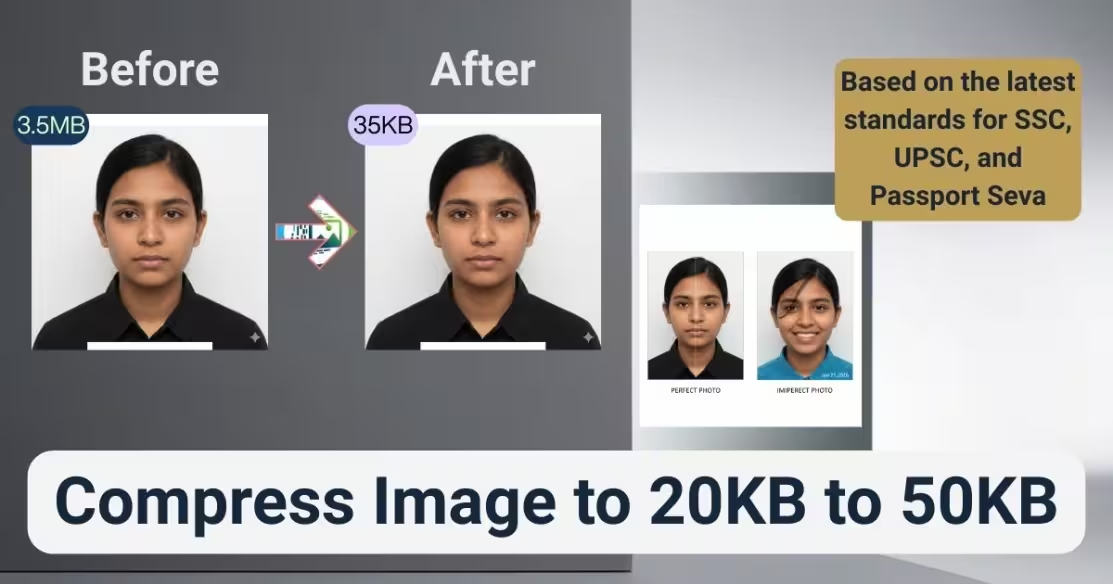
Compress Image to 20KB to 50KB Online Free (JPG Converter)
Need to compress image to 20KB to 50KB online quickly and accurately? ImgSmaller provides a smart, secure, and high-precision image compressor 20 to 50 KB tool designed specifically for government forms, competitive exams, passport uploads, job applications, and online registration portals.
If you are searching for:
-
photo convert into 20 KB to 50 KB JPG
-
20 KB to 50 KB photo size
-
image compress 20KB to 50KB
-
convert image to JPG 20KB to 50KB
-
image resizer 20 to 50 KB
You are on the right page.
What Does “Compress Image to 20KB to 50KB” Mean?
It means reducing your image file size so it falls between 20 kilobytes and 50 kilobytes without ruining quality.
Many official portals reject images larger than 50KB or smaller than 20KB. Our tool ensures precise size targeting.
How to Compress Image to 20KB to 50KB Online (Step-by-Step)
-
Upload your image (JPG, JPEG, PNG, WEBP)
-
Choose target size between 20KB–50KB
-
Click Compress
-
Download optimized JPG instantly
No signup. No watermark. No limits.
This direct, simple workflow is designed for fast form submissions.
Why Government & Exam Forms Require 20KB to 50KB Photo Size
Most official portals have strict file limits to:
Common platforms requiring 20–50KB photos:
Uploading the wrong size results in rejection errors. That’s why using a precise image resizer 20 to 50 KB tool is essential.
How ImgSmaller Smart Compression Works
Unlike basic tools, ImgSmaller uses intelligent compression techniques:
This ensures your photo convert into 20 KB to 50 KB JPG looks professional and clear.
Convert Image to JPG 20KB to 50KB
Need to convert PNG to JPG 20KB to 50KB?
Our system automatically:
Perfect for passport-size photographs.
Benefits of Using ImgSmaller Image Compressor 20 to 50 KB
✔ Exact size targeting
✔ High-quality output
✔ 100% free
✔ Secure processing
✔ No watermark
✔ Works on mobile & desktop
✔ Instant download
Thousands of students and job applicants trust ImgSmaller daily.
Featured Snippet Optimized Section
How do I compress an image to 20KB to 50KB?
To compress an image to 20KB to 50KB:
-
Upload your photo to ImgSmaller.
-
Select the target size between 20KB and 50KB.
-
Click the compress button.
-
Download the optimized JPG file.
The tool automatically adjusts compression ratio and resolution to match the required size.
(Optimized for Google Featured Snippet box)
Is 20KB to 50KB Photo Size Good for Online Forms?
Yes. Most government and exam portals require images between 20KB and 50KB because it ensures faster uploads and standardized file handling.
Why ImgSmaller is More Accurate Than Other Tools
Many tools:
-
Compress too much
-
Drop below required size
-
Blur images
-
Distort resolution
ImgSmaller precisely controls output size within range, reducing rejection risk.
Privacy & Security
We understand document sensitivity.
Your data remains confidential.
When Should You Use Image Resizer 20 to 50 KB?
Use it when:
-
Portal says “Image must be between 20KB and 50KB”
-
Upload error says “File size too large”
-
You need JPG conversion within size range
-
Signature image must be reduced
Tips for Best Quality Output
-
Use clear, high-resolution source image
-
Avoid screenshots
-
Crop unnecessary background
-
Choose JPG for best compression control
Why ImgSmaller is Trusted
ImgSmaller specializes in exact image size reduction for official requirements. Our tools are built for precision, speed, and compliance.
We focus on:
Start Now – Compress Image to 20KB to 50KB Online
Upload your image now and convert photo to JPG 20KB to 50KB instantly.
No registration required.


