ImgSmaller is a simple and useful image compression tool with good quality results and an easy interface. It works well for quick optimizations, though I’d love to see more advanced features and format options in future updates.
Ryan Thompson, USA
ImgSmaller makes image compression fast, simple, and perfect for improving website speed without sacrificing quality.
Michael Anderson, California, USA
ImgSmaller is an excellent image compression tool that helps reduce image size without losing quality. It’s fast, easy to use, and perfect for optimizing JPG, PNG, and WebP images for better website speed and SEO performance. The clean interface and privacy-focused zero-upload feature make it a reliable choice for developers, bloggers, and designers.
Kumari sunidhi
It's is so useful, thank you so much❤😊
U can provide the facility of converting compressed image results into pdf format, that will be so helpful. chatgpt told me about this website
Support ImgSmaller
Found it useful? Add a link to help others discover privacy‑friendly image compression.
Photo Compress 50 to 100 KB Online Free – Without Losing Quality
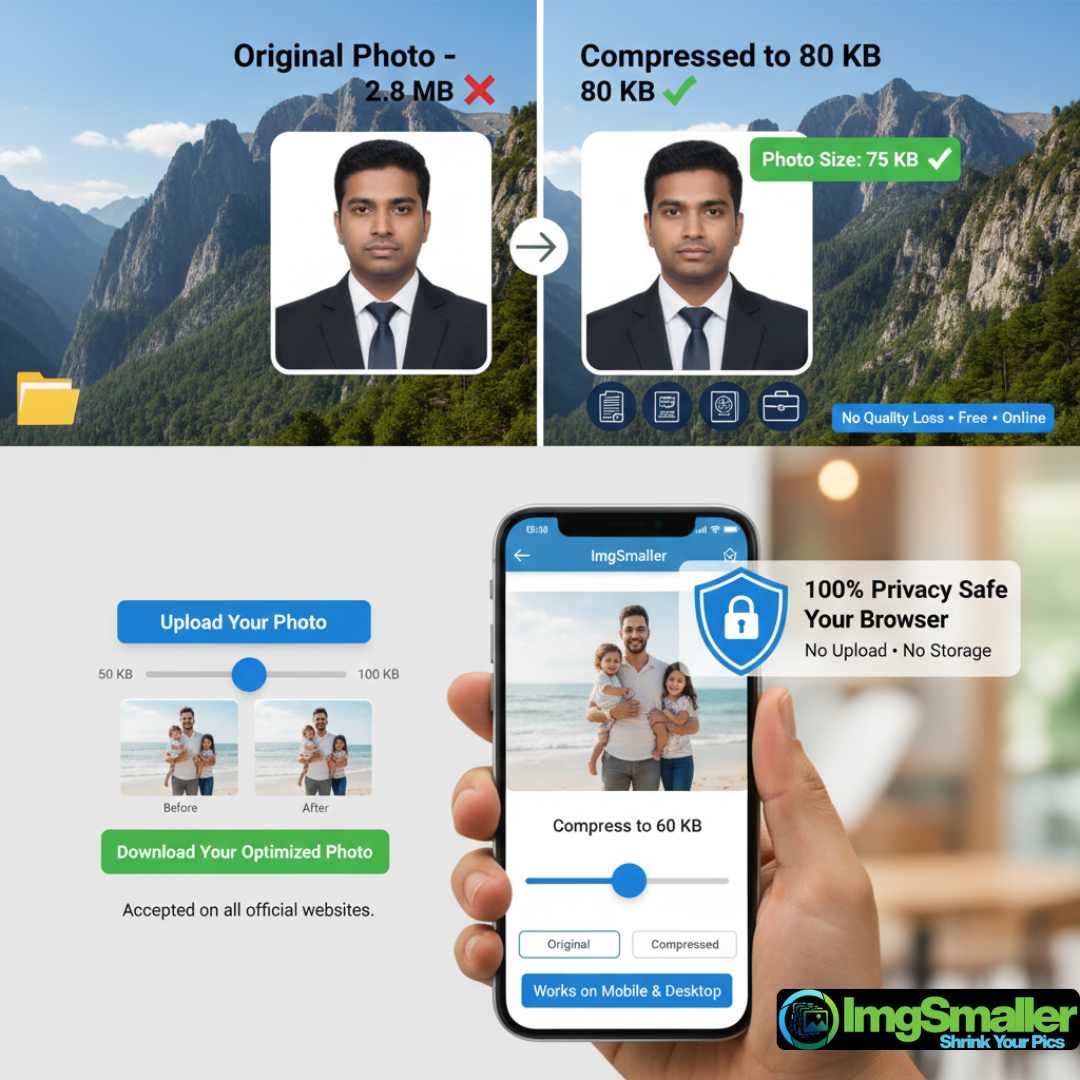
Looking for a reliable way to photo compress 50 to 100 KB online without losing image clarity? ImgSmaller makes it simple, fast, and completely free. Whether you need to upload a passport photo, exam form image, Aadhaar photo, PAN card image, or job application photo, ImgSmaller helps you reduce photo size accurately between 50 KB and 100 KB while keeping your image sharp and professional.
Our tool is designed for users who need exact size control, not just random compression. With ImgSmaller, you can compress images online, instantly preview results, and download high-quality photos that meet strict upload requirements.
Why Do You Need to Compress Photo to 50–100 KB?
Many official websites strictly require photo uploads within a specific file size range. If your image is too large or too small, the upload may fail.
Common use cases include:
Government exam forms (SSC, UPSC, Railway, NEET, JEE, WBPSC)
Passport and visa applications
Aadhaar & PAN card uploads
College & university admission forms
Job portals and recruitment websites
Online KYC verification
Banking and insurance forms
That’s why photo compress 50 to 100 KB is one of the most searched image-related queries today.
ImgSmaller – Best Tool to Compress Photo 50 to 100 KB
ImgSmaller is a privacy-friendly image compression tool that allows you to compress photos online with precision.
Key Highlights:
✅ Compress photo to 50 KB, 75 KB, or 100 KB
✅ No watermark
✅ No signup required
✅ Works on mobile, tablet & desktop
✅ Instant preview before download
✅ Supports JPG, JPEG, PNG, WebP
✅ Zero Upload Mode (browser-based processing)
How to Compress Photo 50 to 100 KB Using ImgSmaller
Compressing your image is extremely easy and takes less than 10 seconds.
Step-by-Step Guide:
Upload your photo
Drag & drop or click upload
Choose target size
Adjust compression to reach 50–100 KB
Preview the result
Compare before & after quality
Fine-tune if needed
Increase or decrease compression level
Download compressed photo
Ready to upload anywhere
No technical skills required.
Smart Compression Without Quality Loss
Unlike traditional tools that blindly reduce size, ImgSmaller uses smart compression algorithms to balance quality and file size.
What this means for you:
Facial details remain clear
Text stays readable
No pixelation or blur
Professional output for official use
This is why ImgSmaller is trusted for passport photos and ID documents.
Zero Upload Mode – 100% Privacy Safe
ImgSmaller supports Zero Upload Mode, meaning:
Your photo is processed inside your browser
No image is uploaded to any server
No storage, no tracking, no data retention
Perfect for sensitive documents like:
ID cards
Certificates
KYC photos
Personal images
⚠️ For formats like AVIF or HEIC, server processing may be required due to browser limitations. You will always be asked before switching.
Compress Photo to 50 KB for Exam Forms
Many exam portals require:
Photo size: 20–50 KB
Signature size: 10–20 KB
With ImgSmaller, you can:
Compress photo to exactly 50 KB
Maintain clarity for face recognition
Avoid form rejection
This makes ImgSmaller ideal for students and job seekers.
Compress Photo to 100 KB for Passport & Visa
Passport and visa applications often require:
High clarity
Neutral background
Size limit up to 100 KB
ImgSmaller ensures:
Accurate compression
No over-blurring
Face remains sharp and centered
You can even crop and resize before compression for perfect results.
Supported Image Formats
ImgSmaller supports all popular formats:
JPG / JPEG (default)
PNG
WebP
Original format retention option
You can also convert formats during compression if required.
Why ImgSmaller Is Better Than Other Tools
Feature
ImgSmaller
Other Tools
Compress 50–100 KB precisely
✅ Yes
❌ Mostly No
Zero upload mode
✅ Yes
❌ No
No signup
✅ Yes
❌ Often required
Mobile friendly
✅ Yes
❌ Limited
Privacy focused
✅ Yes
❌ Not guaranteed
Free forever
✅ Yes
❌ Limited usage
Start Compressing Your Photo Now
Stop struggling with rejected uploads and unclear images. Use ImgSmaller to compress photo 50 to 100 KB online free, instantly and securely.
👉 Upload your photo now and get the perfect size in seconds.
Is ImgSmaller free to use?›
Yes, ImgSmaller is 100% free with no hidden charges.
Can I compress photo exactly to 50 KB?›
Yes, you can fine-tune compression to reach close to or exactly 50 KB.
Will image quality be reduced?›
Quality loss is minimal and optimized for official use.
Is my photo uploaded to your server?›
No. In Zero Upload Mode, processing happens in your browser.
Can I use ImgSmaller on mobile?›
Yes, it works perfectly on Android and iPhone browsers.
Who Should Use This Tool?›
ImgSmaller is perfect for:
Students
Job seekers
Government exam candidates
Passport & visa applicants
Office professionals
Anyone needing photo compress 50 to 100 KB online